By Precious Omatagiren.
Many artists ask me for a master that is “as loud as” their favourite song. It makes sense. A louder song can sound more exciting, and for years, the music industry competed to make records louder.
On streaming platforms, however, things work differently. Spotify and other services use loudness management to make songs play at more consistent volume levels. This means an extremely loud master doesn’t necessarily have the playback advantage you might expect.
In this guide, I’ll explain what happens to your song when it reaches a streaming platform, what LUFS means, and how to choose a loudness level that preserves the impact and quality of your music.
What LUFS means
LUFS stands for Loudness Units relative to Full Scale. It measures perceived loudness, taking into account how our ears respond to different frequencies, rather than simply measuring the highest audio peak.
When you see one LUFS number for an entire song, it usually refers to integrated LUFS. This measures the average perceived loudness of the song from beginning to end.
For example, a song mastered at -8 LUFS is louder on average than one mastered at -14 LUFS.
The lower the negative number, the louder the measured audio. However, a higher loudness reading doesn’t automatically mean a better master.
Streaming platforms use loudness measurements to help manage the playback volume of different songs.
What Spotify does to your song
Spotify uses loudness normalization to make songs play at more consistent volume levels.
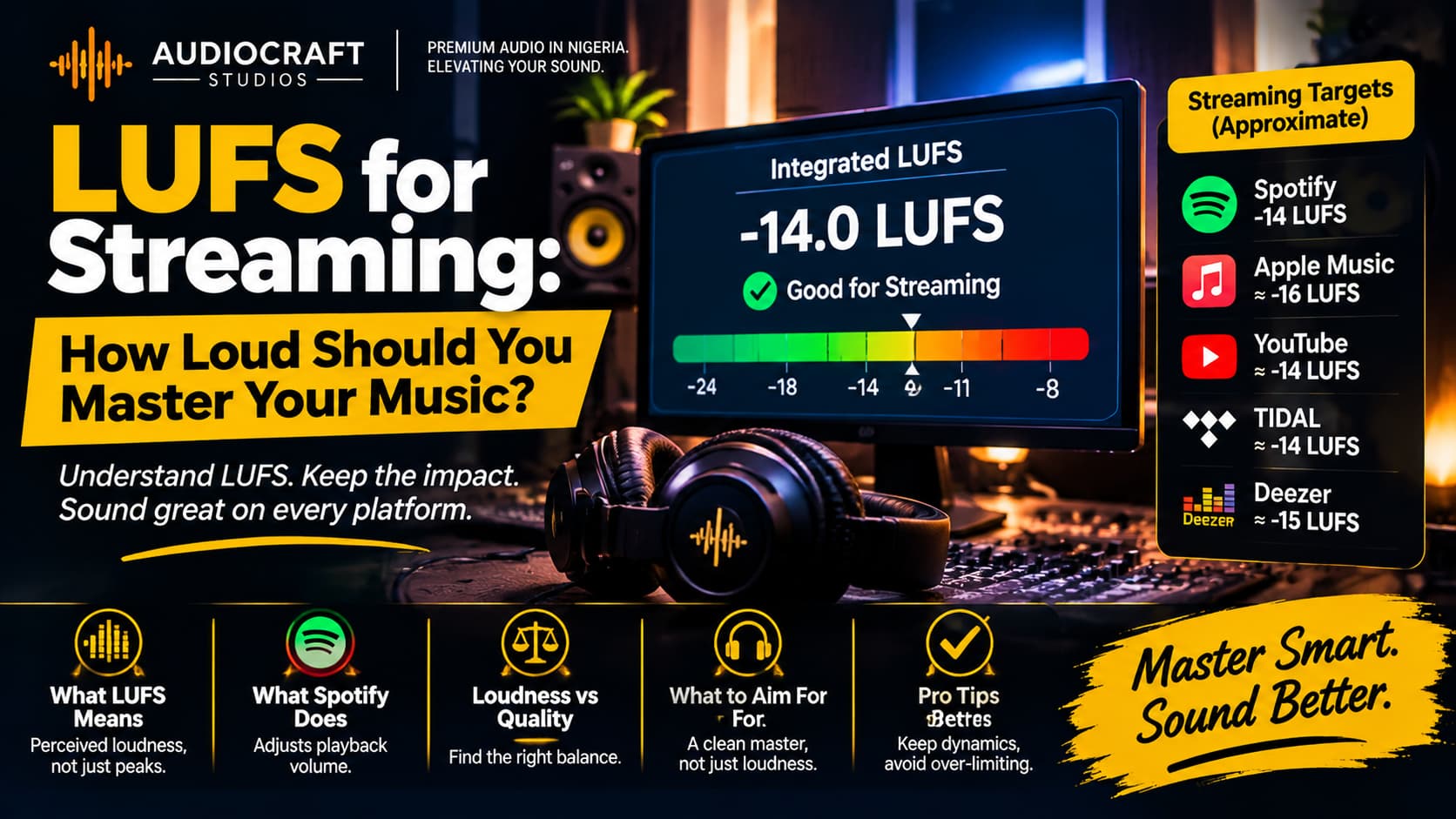
Its default Normal setting targets approximately -14 LUFS. When you upload your music, Spotify measures its loudness and applies volume adjustments during playback. It doesn’t permanently change your original master.
Here’s what happens:
If your master is louder than -14 LUFS: Spotify turns it down during playback. For example, a song mastered at -8 LUFS may be turned down by approximately 6 dB under the Normal setting.
If your master is quieter than -14 LUFS: Spotify can turn it up, but only as far as the available headroom allows. If increasing the volume would cause the peaks to exceed its limits, Spotify stops raising it.
Spotify Premium listeners can also choose between three normalization settings:
- Loud: -11 LUFS
- Normal: -14 LUFS
- Quiet: -19 LUFS
This means not every listener necessarily hears your song at the same playback level.
There are also exceptions. Spotify’s web player and some third-party devices don’t use loudness normalization, so playback behaviour can vary depending on where someone listens.
The important thing to understand is that Spotify adjusts playback volume, not the dynamics or quality of your original master.
What other streaming platforms do
Other streaming services also have their own approaches to playback volume and loudness management. However, they don’t all publish a specific LUFS target for artists to master to.
You’ll often come across figures such as:
- Apple Music: Around -16 LUFS is commonly quoted, but Apple doesn’t publish this as a fixed mastering target. Its Sound Check feature manages playback loudness.
- YouTube: Around -14 LUFS is frequently quoted, but YouTube doesn’t publish this as an official music mastering target.
- Tidal: Around -14 LUFS is commonly reported, but this isn’t a current, universally published mastering specification.
- Deezer: Around -15 LUFS is often mentioned, although this is not an officially published target.
Treat these numbers as approximate references rather than rules.
The behaviour of streaming platforms can change, and listeners’ playback settings also affect how loud a song sounds.
For most artists, there’s no need to create a completely different master just to chase a separate LUFS number for every streaming service. A well-balanced, clean master with controlled peaks is a much better starting point.
Why a louder master isn’t necessarily better
Let’s say you master a song at -8 LUFS and Spotify turns it down by approximately 6 dB to match its Normal playback setting.
Another song mastered at -14 LUFS may play at roughly the same volume.
So what’s the difference?
The difference is in how the two songs were mastered to achieve their loudness.
To make a song significantly louder, an engineer may use more aggressive compression and limiting. When pushed too far, these processes reduce the difference between loud and quiet moments.
The drums can lose their punch, the vocal can feel less dynamic, and the entire song can sound flatter.
A less aggressively limited master may retain more of its natural dynamics while still playing at a comparable volume after normalization.
Excessive limiting can also introduce distortion and reduce clarity. This becomes particularly important when streaming platforms convert audio into different playback formats, as very hot peaks can increase the risk of distortion during encoding.
The goal isn’t simply to make the waveform louder. It’s to achieve the desired impact without sacrificing the qualities that make the song sound good.
What loudness should I master to?
There’s no single LUFS number that works perfectly for every song.
Spotify’s -14 LUFS Normal setting is a useful reference, but it doesn’t mean every song must be mastered to exactly -14 LUFS.
The right loudness depends on the genre, arrangement, dynamics and overall sound you’re trying to achieve.
Many Afrobeats, Pop and Trap records are mastered louder than -14 LUFS. That’s perfectly reasonable, provided the master remains clean, the drums retain their impact and the overall balance isn’t compromised.
For example, a high-energy Trap record may benefit from a more aggressive sound than a softer acoustic performance. The mastering approach should support the character of the music rather than force every song towards the same number.
Understanding true peak
LUFS tells you about perceived loudness, but you also need to pay attention to true peak.
True peak measures the highest level your audio reaches, including peaks that can occur between digital samples. These are called inter-sample peaks.
If the true peak is too high, converting your audio into a compressed streaming format can introduce unwanted distortion.
As a general starting point, keeping your true peak below -1 dBTP provides some headroom for encoding.
Spotify recommends:
- Below -1 dBTP for masters at or below -14 LUFS.
- Below -2 dBTP for masters louder than -14 LUFS.
These are useful guidelines for reducing the risk of additional distortion during encoding, particularly when working with louder masters.
Loudness optimization and peak control are part of my mastering process. You can see what’s included in my mixing and mastering packages.
Common mistakes to avoid
Chasing loudness: Pushing a master louder than necessary can cost you punch, clarity and dynamics. A louder number doesn’t automatically produce a better-sounding record.
Limiting the mix unnecessarily: Avoid pushing a limiter on your master bus simply to make the rough mix louder before sending it for mastering. Leave enough headroom for processing. If you’ve deliberately used compression or limiting as part of your sound, let your mastering engineer know and, where possible, provide an unprocessed alternative.
Comparing songs at different volumes: A louder song often sounds better at first. Turn your master down to match your reference track before judging its tone, punch and clarity.
Mastering only for Spotify: Your song might also be played in clubs, on the radio, in videos and through other platforms. A clean, balanced master should translate well across different playback environments.
Ignoring the low end and the vocal: A master can measure perfectly and still sound muddy, harsh or unbalanced. LUFS is a useful measurement, but it doesn’t tell you everything about the quality of your mix or master. Always trust your ears alongside the meters.
Questions artists ask
Should I master to -14 LUFS exactly?
Not necessarily. -14 LUFS is a useful reference for Spotify’s Normal playback setting, but it’s not a universal mastering requirement. The best loudness depends on your song, genre and intended sound. A clean master slightly above or below that figure can sound better than one forced to hit the number.
Will Spotify make my song quieter?
If your song is louder than Spotify’s selected normalization target, Spotify will turn it down during playback when normalization is enabled. Your original audio file remains unchanged.
Does a louder master get more streams?
No. There is no reason to assume that mastering louder will automatically generate more streams. Streaming normalization reduces the playback-volume advantage of louder masters on supported playback. What matters more to the listener is how the song sounds: its clarity, punch, balance and overall impact.
Do I need different masters for different streaming platforms?
For most songs, one well-prepared stereo master is sufficient for distribution across major streaming platforms. Some artists may also request separate versions for specific purposes, such as club playback or vinyl production.
Can a song sound loud without being heavily limited?
Yes. Perceived loudness depends on more than the final peak level. The arrangement, frequency balance, transient control and dynamics all contribute to how loud and powerful a song feels. Good mixing and mastering decisions can help a record sound impactful without unnecessarily crushing its dynamics.
How to check your own song
You don’t have to guess how loud your master is. A few simple checks can help you understand what’s happening.
1. Use a loudness meter.
Many metering plugins display integrated LUFS, short-term loudness and true peak. Play the entire song from beginning to end and check the integrated reading when playback finishes.
2. Compare against reference tracks.
Choose professionally released songs that have a similar style and sound to yours. Match their playback volume before comparing tone, punch, clarity and space. If you haven’t chosen your references yet, read my guide on how to choose reference tracks.
3. Listen on different systems.
Check your master on headphones, studio monitors, ordinary speakers and your phone. Pay attention to whether the vocal remains clear, the bass stays controlled and the overall balance holds together.
4. Check your true peak.
Don’t rely on integrated LUFS alone. Make sure your master has sufficient true peak headroom, especially if you’re aiming for a louder sound.
Final thoughts
Loudness matters, but it isn’t the goal.
A good master should sound clear, balanced and powerful without sacrificing the dynamics and character of the music. Streaming platforms may adjust its playback volume, but they won’t undo the damage caused by excessive compression or limiting.
Master for the sound and impact of the song, not simply to hit a loudness number.
If you’d like me to master your song for streaming, send me your finished mix, a reference track and where you plan to release it. I’ll review your project and reply with a clear quote and delivery date.
If you’re not sure what files to send, read my guide on how to prepare your session for mixing. You can also read my guide on mixing vs mastering to understand how the two stages work together.
Leave a Reply